
I've never had particularly good luck with printers.
In fact, over the years I somehow managed to break three printers while changing their ink cartridges.
Then there's the hassle of remembering exactly which cartridge you need. I've bought the wrong ones more than once, which can be an expensive mistake, and I've had those frustrating moments when I've finally worked out which cartridge I need only to discover it's out of stock.
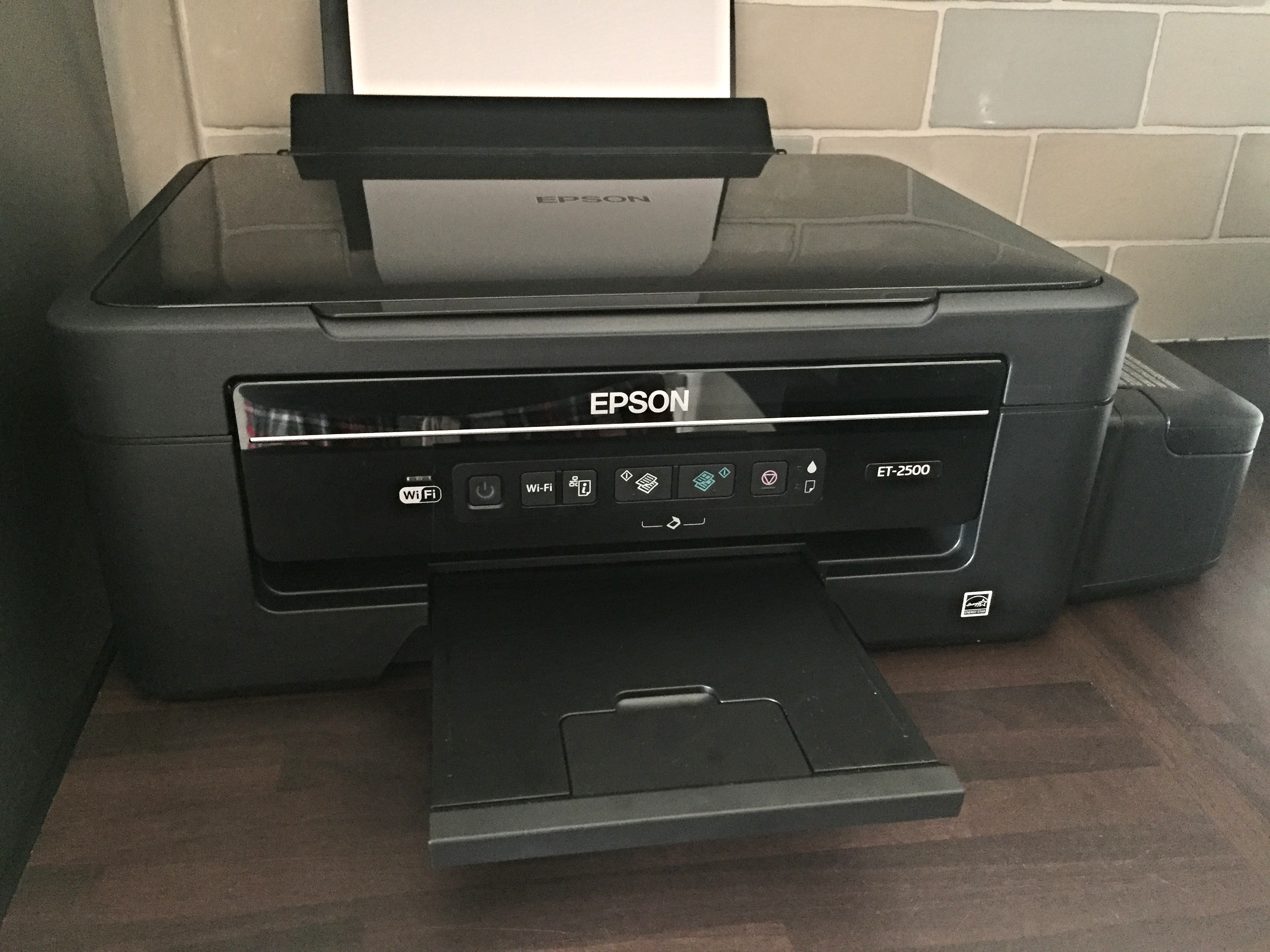
So, when we had the opportunity to review the Epson EcoTank ET-2500, I was very interested in its biggest difference:
No traditional ink cartridges.
After using it for a couple of weeks, I was already wondering why I'd spent so many years fighting with fiddly cartridges!
What Is an Epson EcoTank Printer?
Instead of traditional cartridges, the Epson EcoTank ET-2500 uses refillable ink tanks built into the side of the printer.
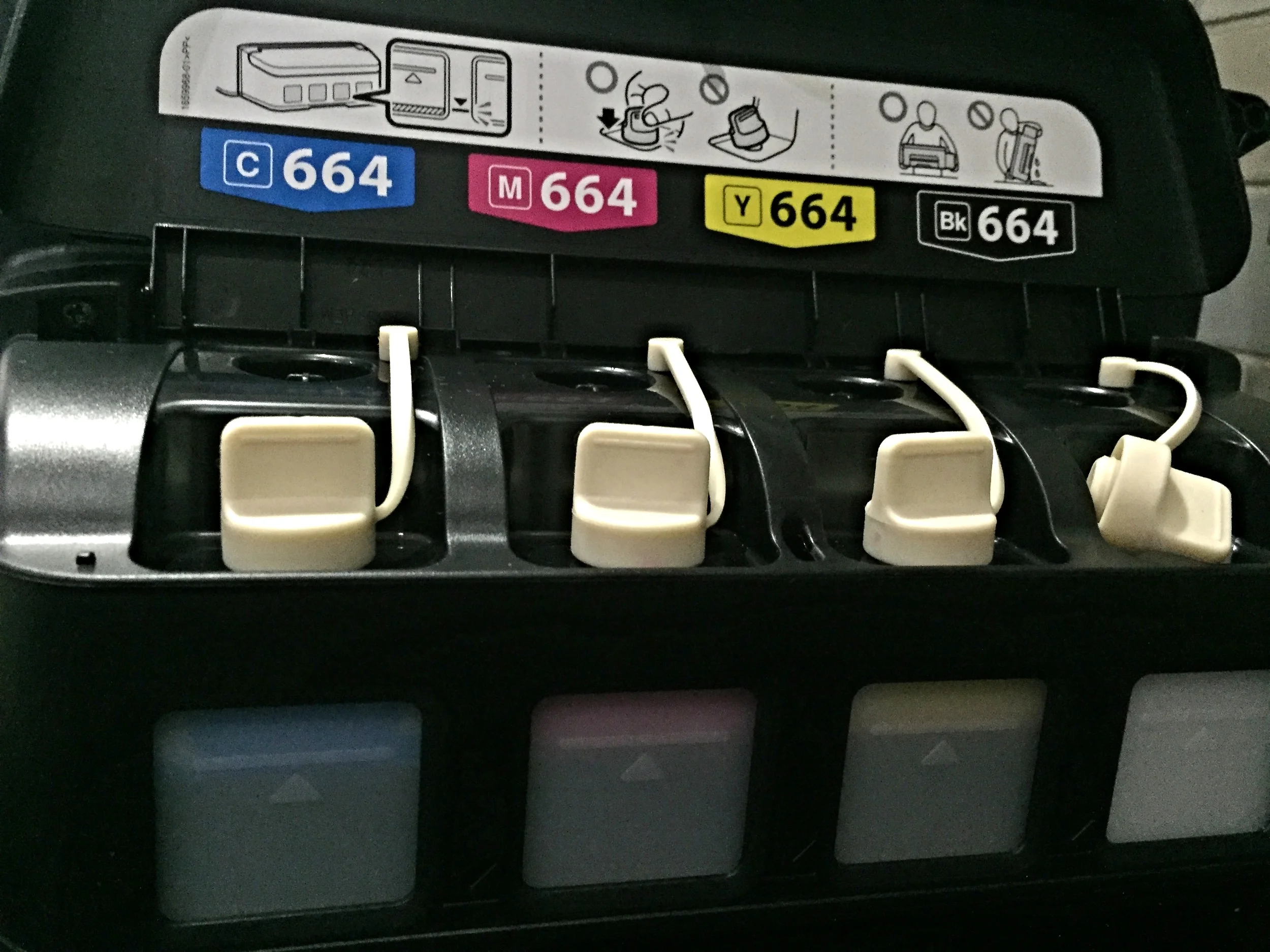
The idea is that you fill these larger-capacity tanks using bottles of ink and simply top them up when required.
For a family like ours, where there's always something that needs printing, I could immediately see the appeal.
At the time of our review, Epson promoted its EcoTank system as a way of significantly reducing ongoing printing costs compared with traditional cartridge printers.
For me, though, simply not having to wrestle another ink cartridge into the inside of a printer was already a considerable advantage!
Filling the EcoTank With Ink
The ink tanks are positioned on the outside of the printer, making them easy to access.
Each tank corresponds to a particular ink colour. You open the appropriate tank and add the ink from the bottle before closing everything back up again.
Simple.
Well...
Mostly simple.
There was one little downside I discovered.
Ink and I apparently don't mix very well.
No matter how careful I tried to be while filling the tanks, I somehow ended up with ink on my hands.
And that stuff does not like coming off!
So my tip from experience would be to put down something to protect your work surface and wear a pair of disposable or household gloves when filling the tanks.
Despite the mess, I'd still take filling an EcoTank over battling with those fiddly cartridges.
A Tip for Mac Users
I did run into a problem when initially setting up the Epson ET-2500 with my Mac.
I tried using the installation disc supplied with the printer, but I simply couldn't get everything connected properly.
After trying various things and becoming increasingly frustrated, I decided to visit Epson's website and look for the appropriate software and driver instead.
I downloaded and installed the driver from there and...
It worked straight away.
My Mac recognised the printer and I was finally up and running.
Obviously, technology and operating systems have moved on considerably since I originally reviewed this printer, so anyone setting up an older ET-2500 today would need to check Epson's current support information and software compatibility.
Wireless Printing Made Life Easier
Once everything was set up, I found the ET-2500 really straightforward to use.
I could print from my Mac, iPhone and iPad, which was incredibly convenient.
Being able to send something to the printer without connecting cables or transferring files between devices made everyday family printing so much easier.
Whether it was something for the kids, paperwork or something I'd been working on, I could simply send it to the printer and get on with what I was doing.
Print and Scan
The ET-2500 also gave us scanning functionality alongside everyday printing, which made it a useful all-round machine to have at home.
Most importantly, I found the printing itself clear and clean.
A printer can have all sorts of clever features, but ultimately I need it to do one thing reliably:
Print when I ask it to!
And the Epson did.
What We Thought
After my previous printer disasters, I was really impressed with the Epson EcoTank ET-2500.
I loved the convenience of the refillable ink tanks, wireless printing and being able to print easily from several of my Apple devices.
Yes, filling the tanks could get a little messy – although gloves would have solved most of that problem – but I much preferred it to dealing with traditional cartridges.
At the time, the potential savings on ink were another big attraction, particularly for a busy family that regularly needed to print things at home.
After owning quite a few printers over the years, I went as far as saying that the Epson ET-2500 was probably the best printer I'd owned.
Considering I'd previously managed to break three of them just by changing their cartridges, perhaps removing cartridges from the equation was exactly what I needed!
With the printer is included 4 full sizes of ink, and even after filling the inks up in the printer, I was left with about 1/4 of ink to top up with.
The Epson model we reviewed is the ET-2500 which costs RRP £229.99.

If you're looking for a simple game that gets the whole family talking, laughing, and occasionally debating some very silly questions, then the Would You Rather Family Edition Game is definitely worth considering.
As a family, we are always on the lookout for games that don't take ages to set up and that everyone can join in with, regardless of age. Between busy family life, health challenges, and trying to find activities that don't involve another screen, this game has become one of those easy go-to options that we can pull out whenever we fancy spending some time together.